Analytics
The analytics dashboard gives you a detailed view of your AI assistant’s performance. Track conversations, identify trends and find opportunities for improvement.
Accessing analytics
Click on an assistant from the Dashboard and go to the Analytics tab. Analytics are per-assistant - each AI assistant has its own metrics.
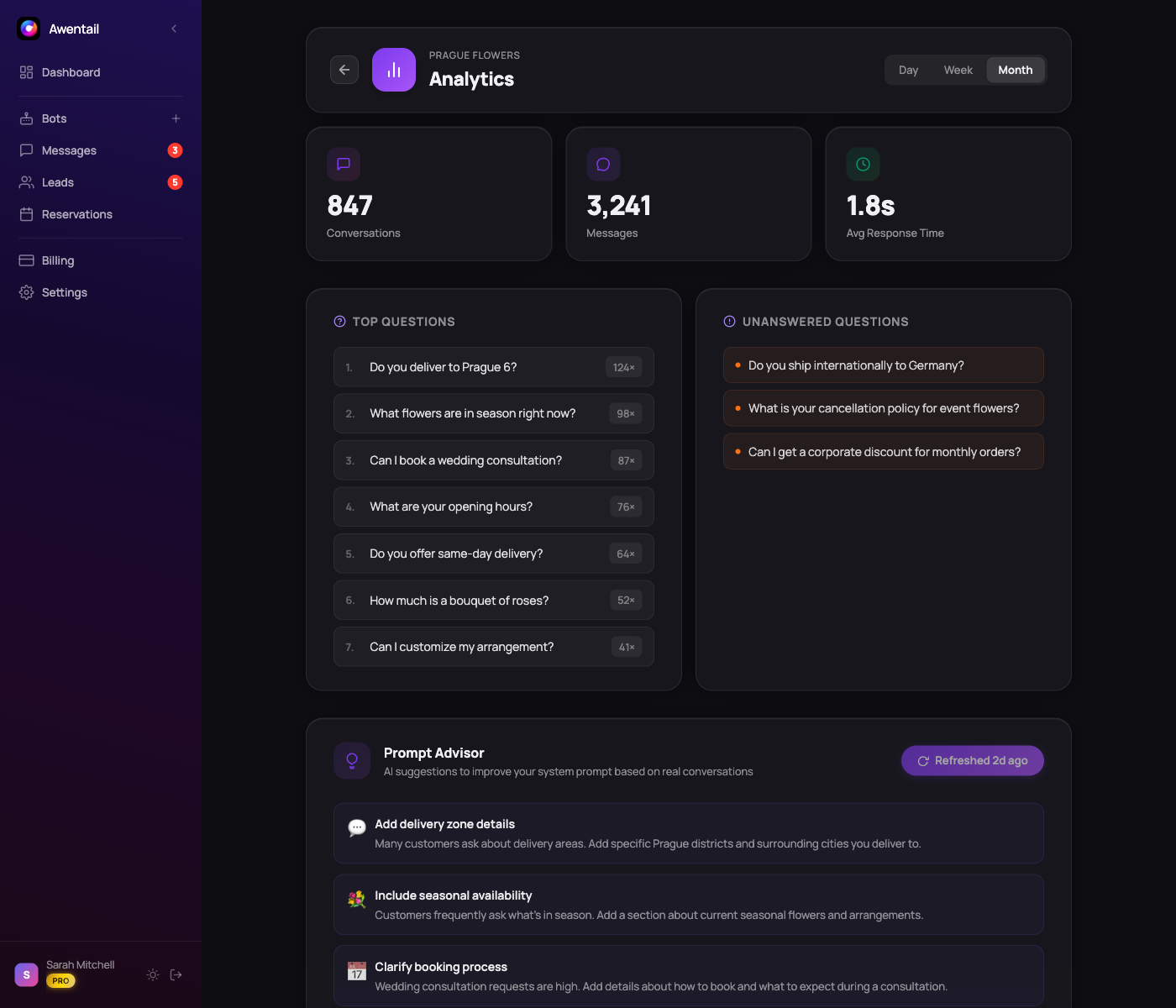
Key metrics
Conversations
- Total conversations - How many chat sessions have taken place
- Messages sent - Total messages exchanged (visitor + assistant)
- Average messages per conversation - Engagement depth indicator
Quality indicators
- Response quality score - How well your assistant answers questions (based on RAG search confidence)
- Unanswered rate - Percentage of questions where the assistant couldn’t find relevant context
Time views
Switch between different time periods:
- Today - Current day activity
- This week - Last 7 days
- This month - Last 30 days
- All time - Complete history
Top questions
See the most frequently asked questions across all conversations. This helps you:
- Validate your content - Are visitors asking about topics you’ve covered?
- Identify gaps - Questions that recur but get poor answers
- Prioritize updates - Focus knowledge base improvements on the most frequent topics
Unanswered queries
A special view for questions your assistant couldn’t handle. For each unanswered query you’ll see:
- The exact question asked
- When it was asked
- How many times similar questions appeared
Tip: Use unanswered queries as a direct to-do list for your knowledge base. Upload content that answers these questions and you’ll immediately improve your assistant.
Using analytics effectively
Weekly review
Spend 5 minutes each week reviewing analytics:
- Check the unanswered queries list
- Upload content to fill the top gaps
- Review AI optimization recommendations (Pro/Business plans)
Track trends
Monitor the quality score over time. After uploading new documents or accepting AI optimization recommendations, you should see improvements in:
- Lower unanswered rate
- Higher quality score
- More messages per conversation (visitors engage more)
Combine with AI optimization
Analytics shows you what to improve. AI optimization tells you how to improve it. Use them together for the fastest results.